Getting started · Sign up
Create your ArcGlass account
Sign up with your work email, verify with a six-digit code, and you're in the dashboard. Then create your first pipeline and connect a meeting source. The video below walks the whole flow end to end.
Full onboarding walkthrough · account setup to first pipeline
Before you begin
What you'll need
Console access
The ArcGlass signup or login URL.
A work email
A work email address and access to its inbox.
Verification
The ability to receive the six-digit validation code.
A few minutes
Signing in takes about a minute; a full pipeline about five.
Step by step
Create and verify your account
01
Create and verify the user account
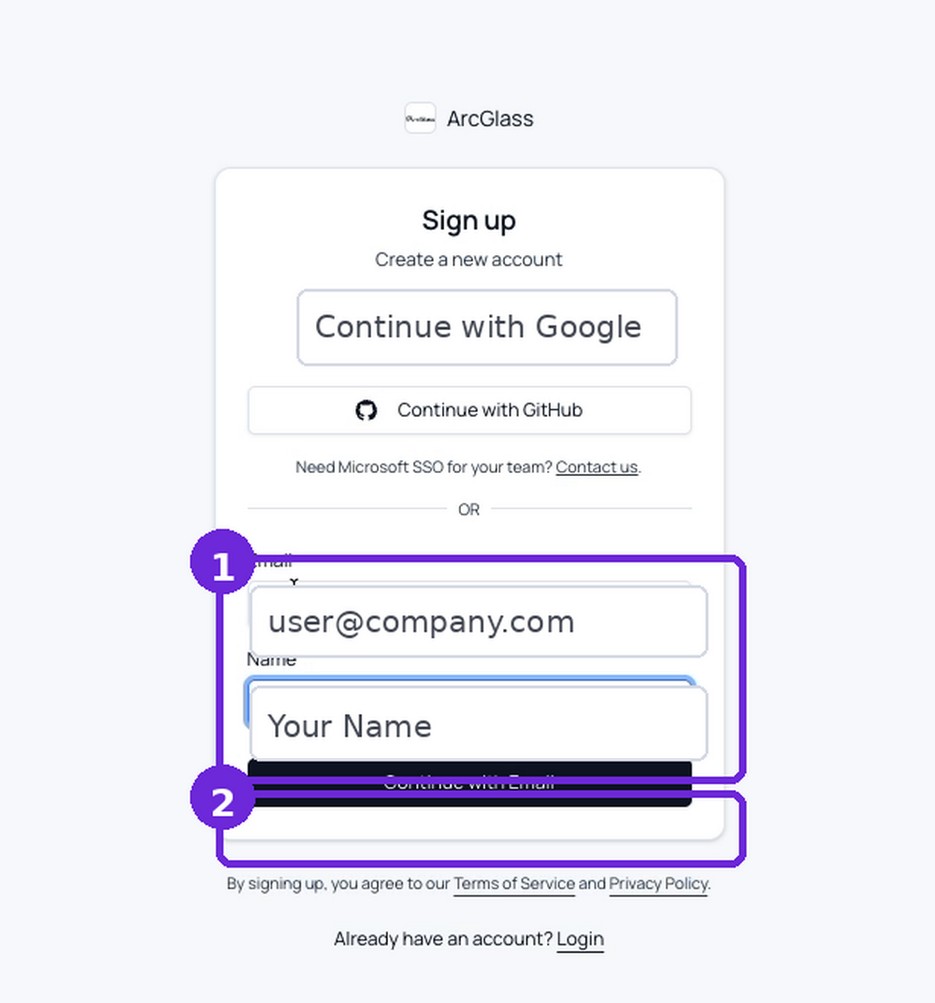
- Open the signup page. From the login screen, select Sign up.
- Enter the work email and name. Click Continue with Email.
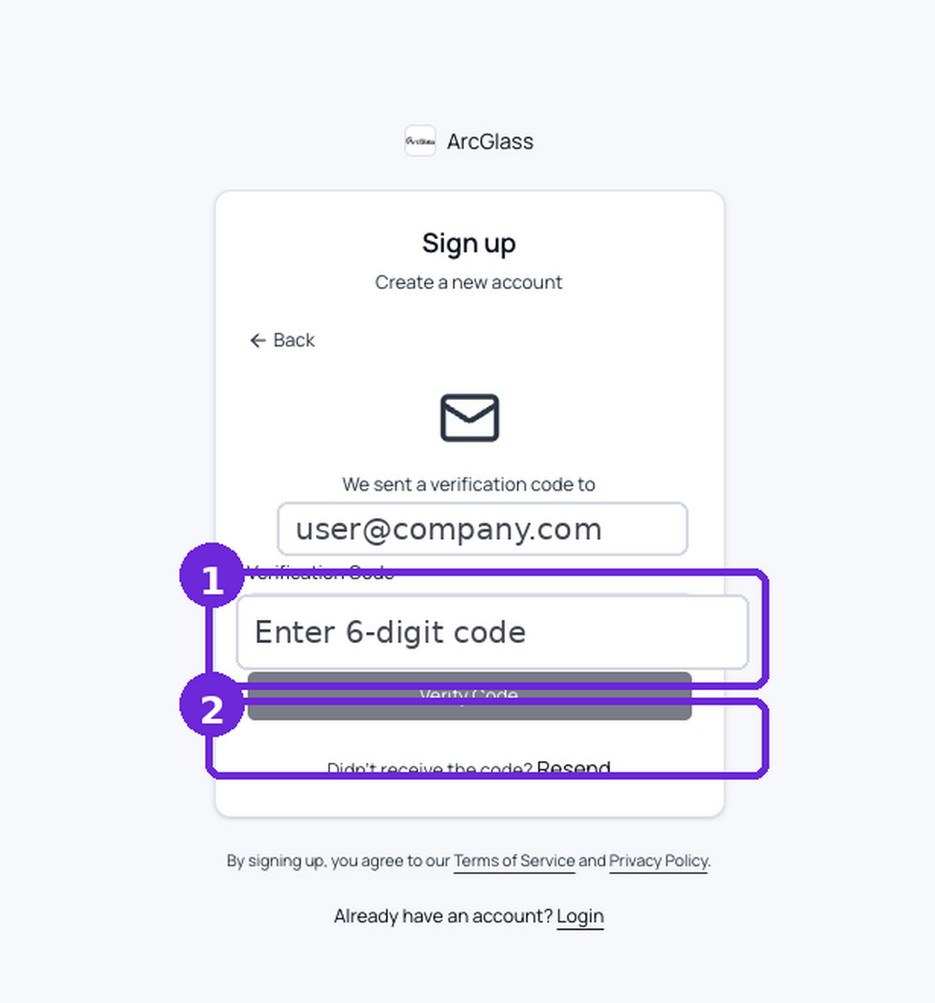
- Enter the six-digit code. Use the latest code sent to the inbox, then click Verify Code.
- Sign in. Successful verification returns you to ArcGlass and opens the dashboard.
Tip — if the code is rejected, select Resend and use the newest code. Older codes may no longer be valid.
Next
Connect your first source
You're in. Now stand up a pipeline: upload a transcript ZIP, or connect a live meeting tool.
→
Create your first pipeline
Upload a meeting-transcript ZIP and create a Calls and Meetings pipeline.
→
Connect a meeting tool
Granola, Fireflies, or Fathom — connect with an API key.
→
Connect HubSpot calls
Authorize with OAuth and analyze recorded sales calls.
→
Connect Gong
Connect with an API key and analyze recorded sales calls.
→
Connect a productivity suite
Google Workspace or Microsoft 365 for mail, calendars, and meetings.